
Guide
QR codes on clothing: how well do they scan?
How far away a phone camera can still read the code on your hoodie or t-shirt depends on two things: the print size and the number of modules (the small squares). We measured this in a simulation with two scanners in October 2026. Here you will find the results, the reason behind them and tips on size, placement and contrast on fabric.
Updated 11 Nov 2026 · Measured on 25 Oct 2026
Key points
- With 41 × 41 modules, the camera had to move 26 to 30% closer in our simulation than with 25 × 25.
- Between 25 × 25 and 29 × 29 modules, the test showed no difference. From 33 × 33 on, the reading distance went down.
- At the same error correction level, the number of modules depends on the length of the link. A short link needs fewer modules, so at the same print size each module is larger.
How we measured
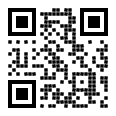
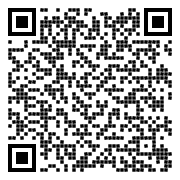
We generated QR codes with the same short link and error correction level M in five sizes, from 25 × 25 to 41 × 41 modules. We shrank each code like a phone photo: slightly rotated, a little blurred, with image noise and JPEG compression. There were 40 attempts per size and image width.
Two independent, freely available scanners read the codes: zxing-cpp and zbar. We measured the width in the camera image from which at least 90% of attempts succeed. If a code needs fewer pixels, the camera can read it from further away at the same print size.
How much does the reading distance depend on the number of modules?
The more modules a code has, the more pixels the camera needs. Up to 29 × 29 the value stayed the same; after that it rose with every step.
| Modules | QR version | zxing-cpp | zbar | Reading distance compared with 25 × 25 |
|---|---|---|---|---|
| 25 × 25 | 2 | 68 px | 78 px | 100% |
| 29 × 29 | 3 | 68 px | 78 px | 100% |
| 33 × 33 | 4 | 78 px | 86 px | 87 to 91% |
| 37 × 37 | 5 | 84 px | 98 px | 80 to 81% |
| 41 × 41 | 6 | 92 px | 112 px | 70 to 74% |
Worked example: the camera reads a code with 25 × 25 modules from 2 metres. With 41 × 41 modules at the same print size, it only succeeds from about 1.4 to 1.5 metres.
| Modules | Image width 76 px | Image width 86 px | ||
|---|---|---|---|---|
| zxing-cpp | zbar | zxing-cpp | zbar | |
| 25 × 25 | 100% | 75% | 100% | 97.5% |
| 29 × 29 | 100% | 80% | 100% | 100% |
| 33 × 33 | 87.5% | 12.5% | 100% | 100% |
| 37 × 37 | 2.5% | 0% | 95% | 25% |
| 41 × 41 | 0% | 0% | 5% | 0% |
At 76 pixels, zxing-cpp read the code with 25 × 25 modules in all 40 attempts. It failed to read the 41 × 41 code in every attempt.
Why does a short link need fewer modules?
A QR code grows in fixed steps called versions. Version 1 has 21 × 21 modules, and each further version adds four per side. Each version holds only a certain number of characters. If the link is longer, the code moves up to the next version.
If you always print the code at the same size, more modules share the same area. Each module gets smaller, and the camera needs more pixels to recognise it.
| Link | Characters | Modules | Module width for a 20 cm wide code |
|---|---|---|---|
| bequ short link, e.g. qr.bequ.io/lena | 23 | 25 × 25 | 8.0 mm |
| Instagram profile, e.g. www.instagram.com/yourname | 34 | 29 × 29 | 6.9 mm |
| long music link (example with 54 characters) | 54 | 33 × 33 | 6.1 mm |
Characters including https://. Number of modules calculated according to the QR code standard with the free library segno.
That is why every bequ code runs through a short link. It consists of qr.bequ.io/ plus 3 to 7 characters that you choose. This gives your code 25 × 25 modules. You can change where the link points at any time in your account. The printed code stays the same.
Which error correction level suits clothing?
A QR code contains extra error-correction data so that it stays readable even with damaged areas. There are four levels: L, M, Q and H. Level M restores up to 15% of the data. According to Denso Wave, the company behind the QR code, it is the most frequently chosen level.
Higher levels make up for more damage but need more modules for the same link. Our short link with 7 characters would have 33 × 33 modules at level H instead of 25 × 25. That is why we print with M. For factories where codes get dirty, Denso Wave names levels Q or H.
Tips for QR codes on fabric
Print it large enough
A common rule of thumb gives a ratio of about 10 to 1 between scanning distance and code width (Bitly). By that rule, a 20 cm wide code works from around 2 metres. From 33 × 33 modules on, this distance goes down, as our test shows.
Choose a smooth area
Folds distort the code. For codes on bags, Denso Wave advises flattening the bag as much as possible before scanning. On clothing, a spot without seams, pockets and drawstrings works well, such as the back. When scanning, it helps to pull the fabric smooth for a moment.
Go for strong contrast
The scanner only tells light from dark. Denso Wave therefore recommends black on white. According to Denso Wave, a scanner cannot read a red code on a white background. On light fabrics we print the code in black, on dark fabrics in white.
Keep the margin clear
A QR code needs a clear margin four modules wide on all sides (Denso Wave). Graphics, lettering or seams do not belong in this margin.
What the test does not show
The measurement is a computer simulation. It does not reproduce fabric, folds, sheen or light; it only shows the effect of the number of modules. A test with printed garments and different phones is still to come.
QR code clothing from bequ
Every code with a link you choose yourself has 25 × 25 modules. On hoodies and t-shirts we can print your name or a short motto underneath.
- Hoodies and jackets with a QR code
- T-shirts with a QR code
- QR code hoodie
- Oversized QR code hoodie
- QR code t-shirt
- Oversized QR code t-shirt
Frequently asked questions about scanning
How big does a QR code on a t-shirt need to be?
Does a QR code on a hoodie scan well?
Why does a QR code with a long link have more modules?
Which error correction level makes sense for clothing, M or H?
Did bequ run the scan test with real garments?
Can I change where my QR code points later?
Sources
- Our own measurement: scan test of 25 Oct 2026, simulation with zxing-cpp and zbar, 40 attempts per size and image width
- Denso Wave: QR code versions and number of modules
- Denso Wave: error correction
- Denso Wave: clear margin around the code
- Denso Wave: FAQ (colours, bags)
- Bitly: minimum size of a QR code, 11 Oct 2024
- segno: library used to calculate the number of modules
- zxing-cpp
- zbar